This was the best one I found so far. It appears that most of the grammar Prezi presentations were geared for English language Learners. I will be sure to share them with my friends that teach Bi-Lingual and ESL students.
Showing posts with label Microsoft PowerPoint. Show all posts
Showing posts with label Microsoft PowerPoint. Show all posts
Wednesday, October 13, 2010
Upping the game
After last week's incredible presentations, I have upped my game when giving internet resources to my teachers. Instead of looking for Prepositional Phrases PowerPoints for one of my English teachers, I was haunting Prezi and looking for presentations that would make the most of the Smartboard. Most of the lessons in the Smart exchange are a bit young for the 8th graders so I was seeking other quick solutions. Now I am off to investigate how the two programs can work together, can I upload an old PowerPoint to Prezi and then work with it? I will update you when I get the answer. So far Prezi does not have a lot of grammar teaching resources on their site, just those made by students, and I do want to be able to provide the best alternative to spending hours making Smart Notebook lessons.
This was the best one I found so far. It appears that most of the grammar Prezi presentations were geared for English language Learners. I will be sure to share them with my friends that teach Bi-Lingual and ESL students.
This was the best one I found so far. It appears that most of the grammar Prezi presentations were geared for English language Learners. I will be sure to share them with my friends that teach Bi-Lingual and ESL students.


Sunday, October 3, 2010
Hating life and PowerPoint right now
PowerPoint fragged up on me three times today with my macbook making the most incredibly weird noises. Having to employ the hard shutdown always makes me nervous. I had to redo a few areas of our group presentation many times because it refused to SAVE! Even when it did the backup every few minutes, it still didn't have the changes. Since my entire weekend has become this project, I could have done without this nonsense. I still couldn't embed video, like I can do on non- mac machines. I just couldn't find the feature on the PowerPoint for mac. I wanted to upload the whole thing to Issuu as a flipbook, but it wouldn't take the formatting. I had to go to Plan B for the Web 2.0 component.
I used slideshare instead. I did not yet use the narration feature, because we have to narrate as a team. I look forward to doing that on my own when we are done. It would be too hard to do it with three of us in different places. Slideshare has been a resource for my blog when I want to post a bunch of pictures from an event. As a presentation solution, I was thrilled with some of the free options it offered. It has some great features and I wish I could change my tooltime to that tool.
The most illuminating thing that happened this weekend was having to work as a team. Giving up control of even part a project has to be the most challenging feeling ever, and one we have to remember stresses OUR students out as well. I had to understand and implement what Brian's main ideas were from our mindmapping in Webspiration. I hope I stayed true to his ideas, if not, it is tooooooooo late. I started working on what we had, then he added more and I had to match it all up again to make sure I didn't miss anything. Note to self: Don't even start until it is all done. I have no idea if Roma finished our Timeline activity Gant chart, our meeting this evening did not come about due to scheduling issues. So now I have to rely on the email for communication until we can all talk again in Wimba. Wimba as a crutch? I am officially spoiled and hate having to go email everyone as they are not on Skype right now.
Spending the entire weekend tracking down appropriate pictures, videos and articles to make the mindmap come to life was accompanied by the endless sneezing and snuffling of my nose. Infection from all those school kids has finally set in, and I am tainted. At least now I have a comprehensive understanding of the history of Instructional Technology and a trash-can full of tissues. I could have just read the textbook, but then I would have had no reason to yell at my family for asking me silly questions when everything was going wrong.
I also made a Tagxedo to enhance the presentation and spent some time rearranging the Webspiration so it wasn't so busy, then Brian really fixed it and it looks nice now. Too big to actually read the screen capture in a photo here, you will have to be content with my Tagxedo instead. I was unable to do the things I REALLY wanted to do with this project. I wanted a blinking eye between the time eras, and I wanted to shoot words out of a cannon or a rocket as a transition as well. I especially wanted a photo of Tompkins with the macs from the 80's to include, but I can't always get what I want. The transitions won't work well in a web 2.0 sharing scenario unless I convert the entire thing to a movie. This will not work for me because of the video clips I want to have in it. The audience will be able to just move ahead after they watch what THEY want. Oh, well, best laid plans...
I used slideshare instead. I did not yet use the narration feature, because we have to narrate as a team. I look forward to doing that on my own when we are done. It would be too hard to do it with three of us in different places. Slideshare has been a resource for my blog when I want to post a bunch of pictures from an event. As a presentation solution, I was thrilled with some of the free options it offered. It has some great features and I wish I could change my tooltime to that tool.
 |
| Can you read our Webspiration? |
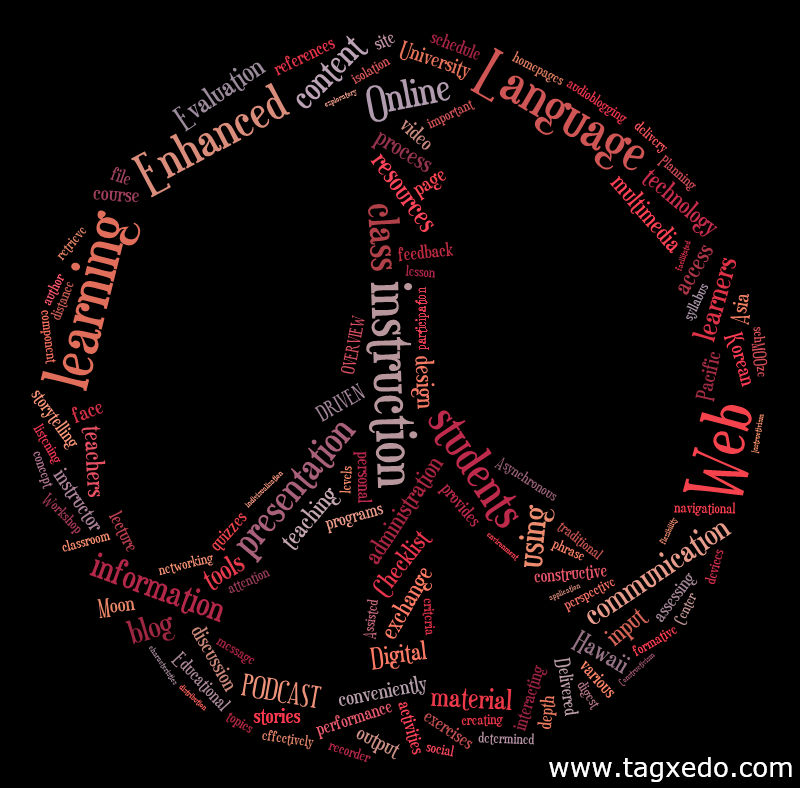 |
| I chose the peace sign because what is contained in the this Tagxedo just a "piece" of the whole IT picture. I know, very corny. |
I also made a Tagxedo to enhance the presentation and spent some time rearranging the Webspiration so it wasn't so busy, then Brian really fixed it and it looks nice now. Too big to actually read the screen capture in a photo here, you will have to be content with my Tagxedo instead. I was unable to do the things I REALLY wanted to do with this project. I wanted a blinking eye between the time eras, and I wanted to shoot words out of a cannon or a rocket as a transition as well. I especially wanted a photo of Tompkins with the macs from the 80's to include, but I can't always get what I want. The transitions won't work well in a web 2.0 sharing scenario unless I convert the entire thing to a movie. This will not work for me because of the video clips I want to have in it. The audience will be able to just move ahead after they watch what THEY want. Oh, well, best laid plans...
Sunday, September 19, 2010
Mindmapping is supposed to be clear, isn't it?
I was looking at the examples of the mindmapping exercises that previous Intro to IT classes had completed and there were many that were too busy for me to want to look at. I recently had to get glasses so this is an issue for me personally, but it may not affect a younger generation. I enjoy the clean lines of Facebook and find them preferable to the busyness of Myspace that my younger students frequent.
I teach my students that when they create PowerPoints, that they should use images effectively and no more than 2 per page. The type should be 30 points or more. I was impressed with the inventiveness and creativity of many of the IT History projects, but there was just so much going on that the message of the history of IT was lost. It would have been helpful to have the guidance of the presenter to take one through them.
I started looking at various mindmaps on the web to see what I liked and what I disliked. I loved this simple drawing of the life of William Shakespeare, but it was not interactive. Another one I enjoyed was the ICT/Glow and Learning styles Mind map, again, it was not interactive. I did eventually find a few that I thought were useful and interactive using free software called Freemind. This mindmap on Ubuntu was compelling, I liked the mouseover effects. It reminded me of annotating The Heart of Darkness for our Litt. Reaseach class with Professor Honecker's class. It will be interesting for me to see how busy our group project turns out...

 |
| This image is from the Worst PowerPoint Presentation |
I started looking at various mindmaps on the web to see what I liked and what I disliked. I loved this simple drawing of the life of William Shakespeare, but it was not interactive. Another one I enjoyed was the ICT/Glow and Learning styles Mind map, again, it was not interactive. I did eventually find a few that I thought were useful and interactive using free software called Freemind. This mindmap on Ubuntu was compelling, I liked the mouseover effects. It reminded me of annotating The Heart of Darkness for our Litt. Reaseach class with Professor Honecker's class. It will be interesting for me to see how busy our group project turns out...


Subscribe to:
Posts (Atom)