Showing posts with label Education. Show all posts

Wednesday, May 9, 2018

Global Educators #ExploreEarthEveryday Global Makeathon

Guest Post by Ian Matty 

The Mountain Lakes Makers Club @ the Mountain Lakes Public Library is a community makerspace whose mission is to provide maker education opportunities to all students.  We have found much success combining different types of maker technology (robotics, programming, 3d printing) with the arts, science, literature, and nature.  We focus on how robotics and programming are collaborative with all subject areas and not an independent discipline. 

Building on the philosophy that all kids – even preschoolers – can benefit from maker education’s interdisciplinary approach, I worked with six educators from Hong Kong, Cyprus, Nigeria, Ohio, and Pittsburgh to develop the #ExploreEarthEveryday Global Makeathon.  The idea is simple.  Kids love nature.  Nature is very important.  How can we combine nature with robotics so kids can have a deeper sense of learning about their environment?  The makeathon approach allows students and educators to be creative, show their love of their local nature, and learn about robotics and programming.

The Mountain Lakes Makers Club partnered with Beekeeper, Alicia Deley to create robotic pollinators.  Additionally, we collaborated with Janet Horst of the Mountain Lakes Garden Club and learned to build soil moisture sensors for native plants.  Bringing in community members with specific knowledge of bees and plants really ties together the project-based learning process.

How do we build these projects?  First, it is important to recognize that robotics technology today is perfect for hands-on learning because of standardization created by Arduino.  Almost every type of robotics product you can purchase is compatible with each other, both via hardware and programming connections.

The Hummingbird Robotics kit, built by Birdbrain Technologies (and co-developer of the makeathon) provides a perfect student friendly hardware and software platform for first-time roboticists.  The Hummingbird CPU is clearly labeled and all of the components, whether it is a servo, motor, or sensor can easily be connected; No soldering or breadboarding necessary, just an understanding of how sensors work.   Once you start a discussion with students about sensors in a car or the grocery store automatic door, they begin to understand robotics and programming.  To program your robotic Hummingbird CPU, you can connect to various programming languages, from the basic Create Visual language, Scratch (the standard for elementary education) to Python. 


For our robotic pollinators class, some students wanted to create bees.  First, think about how the bee will move.  Will it move back and forth? Or spin completely around?   Will its eyes or antennae light up?  Will its nose buzz? 

Let's say a student wants their Honey Bee to move back and forth between two flowers when the sun is out. 

First, craft two flowers and one Honey Bee.
Second, we need a servo motor. (Servos move between 0 and 180 degrees)
Third, we need a light sensor.
Fourth, connect both components.
Fifth, go into Scratch programming and write your STORY – that is correct, programming is just like writing a story.

If the Sun is out, I want my Honey Bee to move back and forth between the two flowers.
If the Sun is NOT out (cover up with a paper moon!), the Honey Bee goes back to the first flower.
Do not worry!  You do not need to use sensors at first.  You can just control robotic actions by simply pressing a key on the keyboard.  You will be very impressed with what students can learn and create.
- - - - - - - - - - - - - - - - - - - - - - -  - - - - -  - -  - - -

To implement Makerspaces in your classroom, please visit our Makerspace Mondays at the SRI&ETTC. Upcoming dates on our summer schedule are: 
May 21, 2018 – 9 a.m. to 3 p.m.
June 11, 2018 – 9 a.m. to 3 p.m.
July 23, 2018 – 9 a.m. to 3 p.m.
August 6, 2018 – 9 a.m. to 3 p.m.
August 20, 2018 – 9 a.m. to 3 p.m.


Tuesday, March 21, 2017

Fotobabble- Photos with voices!


Fotobabble enables students to attach their thoughts to a single image to relate a short story or inform a listener about a topic related to a visual. It's free! It's a photo, with a voice.  You can access it on the web, or if you have iPads in your classroom, you can download the free app.  Students young and old, enjoy creating projects or blogs with Fotobabble, as it's a fun and easy way to make a "talking" picture. Students can customize projects with different backgrounds, and slideshows are also included with this tool.

There are many ways to engage students with the help of Fotobabble. This tool is often used for students to make their bio's at the beginning of the school year.  Using Fotobabble for a reading assignment has the students drawing pictures of the story they read, making recordings of their summary, and then sharing their Fotobabble with the class, exposing all of the students to a variety of stories.

If you are interested in learning more about Fotobabble, Saker Alexander just posted this video for his students who are using the tool for the first time. 


Tuesday, May 17, 2016

If This Then That Recipe for Photo Blogging with David Theriault


We loved this share because it actually worked well with an app that our students use all the time. We used the Instagram"New photo by anyone with specific hashtag", but were super worried about posts that might sneak into the blog that we do not want. Not everyone who uses hashtags has good intentions and the automation of this actually makes bad posts harder to catch, so we STRONGLY recommend that all posts are vetted by the teacher.  Unfortunately IFTTT does not offer a draft feature in connection to Blogger. We NEED that  because so many schools have GAFE.  Wordpress offered some choices such as "Save as draft" or "publish as private" that blogger did not have. We feel Wordpress in this instance is the better choice for an educational setting. Thank you Dave, you definitely gave us good ideas for using instagram, wordpress and IFTTT.

Tuesday, January 1, 2013

Time To Play With Videoscribe!

Our first guest blogger of 2013 is Jeanette James, a teacher from New South Wales in Australia.  She comes to us through the SRI & ETTC's professional learning community on edmodo. 21st Century classrooms require us to break down traditional classroom walls and collaborate with schools all over the world.

Clearly Jeanette had time over the holidays to rest, relax and most importantly, play with one of the available options of videoscribing software. We will be bringing you the perspectives of many K-12 educators as they show off their technology integration adventures. 

 If you are interested in taking a workshop where you can learn how to use Web 2.0 tools, visit our training calendar page to find the right workshop for you!
_________________________________________________
Reprinted Permission of Jeanette James 2013

Time to Play!
Time to Play! The holidays are truly epic!  Simply put, the access to TIME allows me to play! When I can play, I learn.  Tonight, I played with a new product called Videoscribe. See below for my first creation using this tool.

Happy New Year all, thanks for all the fun in 2012.
@7mrsjames


Wednesday, May 4, 2011

New Tools!

Last week was much more fun for me, I love it when people in the class present new tools that I have not used yet. I am excited to try them out and see if they can work seamlessly into some of the curriculum my teachers have to meet. The problem with technology is that there is always a learning curve for teacher and students and this presents a problem; we only have so much time to teach our subjects. In light of that kind of problem, I am always on the lookout for the easiest and most creative tools than I can find to keep the students engaged.
Enhanced by Zemanta

Tuesday, February 22, 2011

Bit of a control freak here

I now have a direction for our lesson, but I am not inspired to write much about it here yet. I am still digesting this upcoming lesson for tonight's class, it should be interesting to create a pln graphic using only text. I was a little confused by the directions because we were supposed to be able to work on something we wanted to work on, but if we are in groups maybe we will be arranged according to the topics we selected. Anyway I created my own for tonight in case we have more rough snowstorms- here it is.


Perhaps I need some coffee to get motivated- I was up all night waiting for a snow day to be called or not called for kids and myself- amazing that I can never sleep when a snow day may occur. I am glad my partner and I got together for our project- I always feel unsettled with things that are not certain. I get anxious, just like the snow day thing. I guess I am a bit of a control freak. Since many people in class exhibit these tendencies- because we prefer to work alone rather than give up control, I thought I would share this picture...
I hope they are all headed in the same direction...

Tuesday, November 16, 2010

Technology Invasion!

I was teaching a bunch of teachers how to use blogging with their students and a teacher mentioned the invasion of technology. WHAT A MIND BLOWER!   I am an integrationist, not an invader, but ultimately,  this is how the teachers view these changes to their curriculum.    I know where they are coming from, no one likes to be told to do something that is not of their own choosing and teachers have had to deal with NCLB and many more mandates for years.  They are fed up.  I have to walk on eggs sometimes because they are so adamantly opposed to technology.  Don't get me wrong, they act like they are interested, they do their best to "fit it in,"  but I can hear them the second my back is turned, complaining to each other about what they have to do now.   Technology upsets their pacing charts, it gets in the way of content during the learning curve process.  They make little digs about technology and I have to really try not to get upset and take it personally.  But I am the face of what they are hating and that is difficult.
I have to remind myself that there are things I do
not like to do either.  After all, I hate math, I really really hate it, and I try to act excited about it when I have to teach it, but lets face it, we all have different interests, and that is what makes us interesting to other people.  I respect the teachers I work with and pray that I keep understanding their pain as they try to change the way they teach to fit the interests of the generation we are teaching.  It IS hard, technology integration is unlike any other educational reform that has ever taken place.  It is constantly changing and shifting and is sometimes like working on quicksand.
You have to get it done and fast because the internet could go down, the moviemaker could freeze up again, the edublog logins will fail due to timing out.  It is stressful and uncomfortable for anyone who doesn't love and embrace technology.   For all the teachers forced to integrate technology, I feel for you. My hope is to be less of an invader and more of an organic presence over the year.
Enhanced by Zemanta

Wednesday, October 27, 2010

Smartboards need Smart Teachers

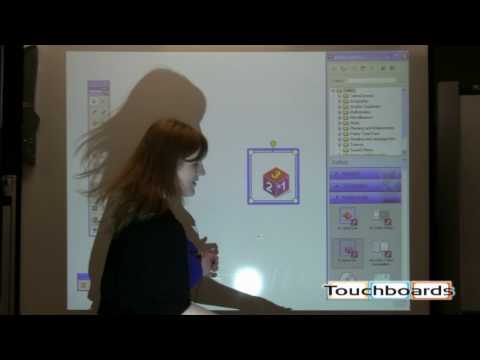
In the last week, after our training from Faisal, I was really struck by how well the mimeo worked.  I have heard of mimeos hiding in closets in some districts and I personally know some teachers that have Easyteach boards in their rooms that they never touch. Why?  They lack training.  It is not a good idea to spend money on technology and not FULLY train teachers how to use them.  I had no training when I received my Promethean board. It took a me a year to fully understand how to use all the features and I would have used it for more if I had been trained for a few full days.  The training has to involve not just the features, but the content area toolbars and resources.  Teachers need TIME to build or change resources.  Unfortunately, districts want the biggest bang for their bucks, so they choose increased technology over training.  If we had the chance to learn our craft, we would be more effective and could turnkey our knowledge with other teachers in our district during district professional development.  I am seeing a trend toward this area in some schools, simply because districts cannot afford to bring people in from outside.   It is not enough.
If there is a teacher in a school who knows what they are doing, we can use prep times to be in their rooms and learn from them as they use the technology.  Both can get professional development hours for this.  We started off in the field as simple observers in our fieldwork classes, and it is still a wonderful method of learning as we attempt to keep up with the latest innovations in education. Here is a district goal outlined by Alan November, senior partner at Educational Renaissance Planners in Evanston, Illinois:
Since this is the job I am performing right now, Technology Integrationist, I am more aware than ever of the lack of technology education our teachers have.  The little things like saving to a jump drive and printing in greyscale are big dilemmas to teachers who are now expected to provide interactive lessons using Smart boards.  I only hope that we move away from the drive-by trainings that don't provide the ongoing assistance teachers really need.  Only some of the teachers are comfortable with screencasts and webinars, a huge population of teachers need hands-on training that can be repeated as they need it. As I try to squeeze such trainings into lunch periods and preps, I get frustrated.  I feel like every other teacher feels when their students are just about to complete an objective and the bell rings.  I will be pushing for some substitute coverage so I can get more time with individual teachers.  Luckily I work in districts that have technology-rich goals, so I may actually get somewhere.  
    Enhanced by Zemanta

    Tuesday, October 19, 2010

    Technology-enabled Substitutes

    Yesterday, The substitutes of one of the school districts I work for participated in professional development. They learned how to access the teacher's websites and to use the Smartboards. Technology-enabled substitutes will be able to carry on with lessons in the technology-enabled classrooms when the teachers are away. The laptops can still come out and the students do not have to complete worksheets all day long.
    The substitutes spent the morning in trainings and the afternoons with teachers in their rooms learning how technology is used in the classroom. This experience was the first of its kind that I ever witnessed. The principal also conducted a training session with the substitutes on how to be an effective substitute in the district. This planning for school-wide and student success is commendable. We will provide substitutes with a list of every teacher's website until the district website can be updated to include that information. They were also given directions for laptop basics and turning on projectors and smartboards.  An issue still outstanding is the ability to log into the teacher laptops.  A substitute username and password will have to be enabled on all machines and laptops that are connected to the smartboards. It would
    be helpful to create hotsheets for each room that is technology enabled for the subs with quick reference sheets for the programs the students may be using.  We should also create a substitute website that has information and training tutorials.  Since the technology-enabled substitutes will be called first to serve in those classrooms, it does provide incentive for them to learn on an ongoing basis.
    UPDATE!
    On a sad note, in another school, the susbstitutes  allowed students from another class to use the 6th grader's laptops.  Substitutes need to follow the plans we leave for them as teachers, they definetly shoud never allow students to tell them what they "usually" do, because the students "usually" lie  to substitutes.  When in doubt, check with another teacher nearby, call the office and just maintain that it is your responsibility to follow the teacher's plans.  As a teacher it is hard enough to miss a day with our class, it causes huge problems when susbtitutes deviate from our plans.  We spend time getting those plans ready and it is frustrating  when we come back to havoc. In this instance, the offending students tried to visit blocked sites, they changed the students backgrounds and settings and added items to their favorites.
    Enhanced by Zemanta

    Tuesday, September 21, 2010

    Loving it!

    She gave me top status!
    This morning I walked into the teacher's room whom I had worked with last week.  She just started teaching again after having a baby and does not have a lot of technical experience.  She is by no means afraid of technology, but she has not had exposure. Nor did she attend any of the summer trainings.  She saw me and her face just started glowing, she had three new ideas for for technology integration that she wanted me to teach her how to implement.  An OnCourse teacher website, uploading word documents to the smart assessment tools and assessing her students with the PE clickers and having her students blog their daily journals, WHEW! She also shared her experiences of technological mishaps that happened when I was away from her room.  The most impressive thing she said was that she felt like she could be helping other teachers by the end of the year.  A teacher-learner becomes a teacher-leader!  I wish we could all have "students" like this; people who are just dying to know something and can't wait for you to give them that little nudge in the right direction.  I couldn't have been prouder than her mom when she told me how she had figured out some things for herself and shared them with her team.   The she showed me how she had "added" me to her class.  At the end of the day I was wrung out, trying to get her trained in everything she wanted to know, but it was so worth it!
    Enhanced by Zemanta

    Sunday, September 19, 2010

    Mindmapping is supposed to be clear, isn't it?

    I was looking at the examples of the mindmapping exercises that previous Intro to IT classes had completed and there were many that were too busy for me to want to look at.  I recently had to get glasses so this is an issue for me personally, but it may not affect a younger generation.  I enjoy  the clean lines of Facebook  and find them preferable to the busyness of Myspace that my younger students frequent.
    This image is from the Worst PowerPoint Presentation
    I teach my students that when they create PowerPoints, that they should use images effectively and no more than 2 per page.  The type should be 30 points or more.  I was impressed with the inventiveness and creativity of many of the IT History projects, but there was just so much going on that the message of the history of IT was lost. It would have been helpful to  have the guidance of the presenter to take one through them.
    I started looking at various mindmaps on the web to see what I liked and what I disliked.  I loved this simple drawing of the life of William Shakespeare, but it was not interactive.  Another one I enjoyed was the ICT/Glow and Learning styles Mind map, again, it was not interactive.  I did eventually find a few that I thought were useful and interactive using free software called Freemind. This mindmap on Ubuntu was compelling, I liked the mouseover effects. It reminded me of  annotating The Heart of Darkness for our Litt. Reaseach class with Professor Honecker's class.  It will be interesting for me to see how busy our group project turns out...
    Enhanced by Zemanta